
Using Find A Grave to Fine Tune the Family Tree
I have recently begun getting serious about the site Find A Grave. I have used Find A Grave as a source for several years and have at times been surprised by the details and photographs I have found on memorials there. My new passion for this site has come since I have decided to manage some of my own family memorial pages.
As I was searching through the various memorials for my family, I noticed several where the information was not complete or had errors. I had contacted a few managers who couldn’t answer questions that I had regarding information that was included in the memorial. It occurred to me that I would probably be a better care taker of these memorials than an unrelated volunteer who has simply added a memorial because they took a photo of the stone as they were photographing an entire cemetery. I would also be the one who gets contacted by people researching my ancestors.
I was unsure how to begin to be a manager for memorials so I checked out the Help and FAQ sections of the site and learned all the information I needed. I started with my great grand parents and then worked back each line of the family as far as I could take it. I began messaging the memorial managers to ask for the memorials to be transferred to me. It is important to remember to identify yourself and say how you are related to the deceased. There are many “memorial collectors” out there – people who just enjoy adding memorials to have as many as they can – but the general etiquette on Find A Grave is that memorials should be transferred to family when requested to do so.
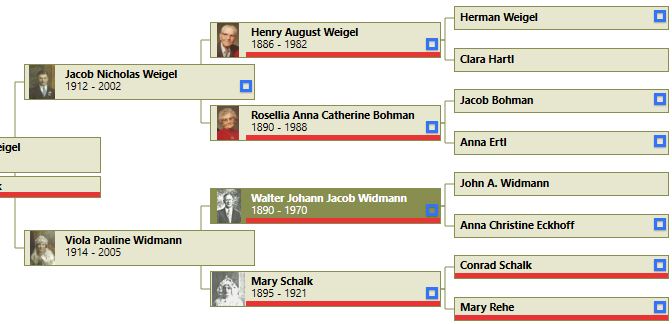
As I began to update and add to some of my new memorials, I quickly realized where I had holes in my research. I had some family members where I didn’t have complete death information recorded. Some were missing children and spouses. Going through each generation in an organized way has helped me (forced me?) to focus my research. To know at a glance whose memorials I manage, I color coded the ancestors in my desk top software. Every one I manage has a red strip under their name on my tree.
Knowing that I was now responsible for the accuracy of the information posted for each memorial made me check and recheck the facts that I had recorded for each family member. In researching and correcting the memorials in my care, I also helped add or correct information for several other memorials that are related on collateral lines. There is a “suggest edits” option on each memorial where users can contact the memorial manager and add family, correct dates and locations, and ask for memorial transfers. Best practice is to site your sources for any information you want to change or add.
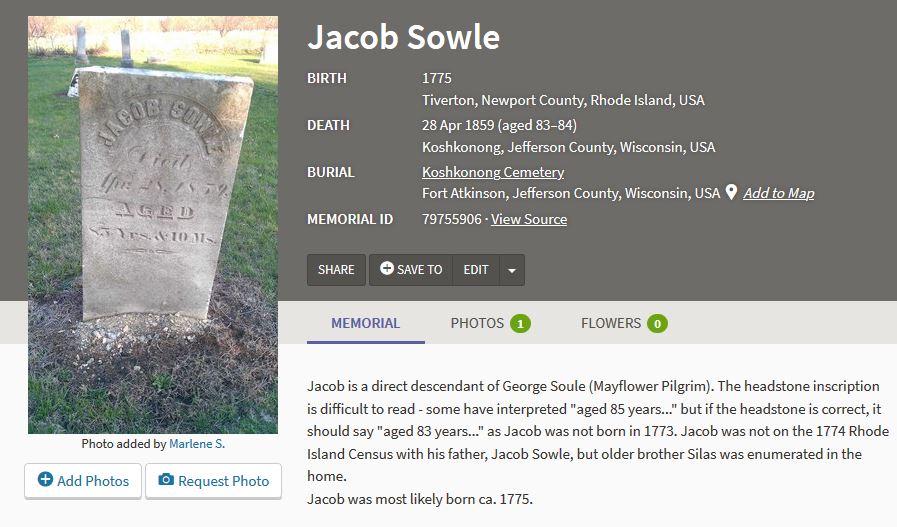
I only intended to become a manager for my and my husband’s ancestors, but sometimes managers are so happy to have someone interested in the family that they transfer more than just the memorials you request! I manage the memorials for 2 or 3 “cousins” now because of some generous managers. Occasionally a second spouse gets passed along to me even though I’m not genetically related. Another two of the memorials that I adopted were managed by Find A Grave itself. The site takes over management if there is no one to claim the memorial. Jacob Sowle is in my husband’s Mayflower line and Ralph McElhaney was accidentally killed by my grandfather. I found it quite sad that these two people were so forgotten that no one was managing their memorials.
My memorial collection has reached 55 at the time of this writing. My goal is to search out all the memorials for family members at least to the 3rd great grandparent level. I have a few cemeteries I need to visit to try to get photographs of headstones that I am missing too. Find A Grave has helped me fill in the blanks in some areas of my tree. If you are a member of Find A Grave, consider managing the memorials of your own family members.
 WitzEnd Family History